ICEGATE Bill of Entry: Meaning, Filing & Status Check

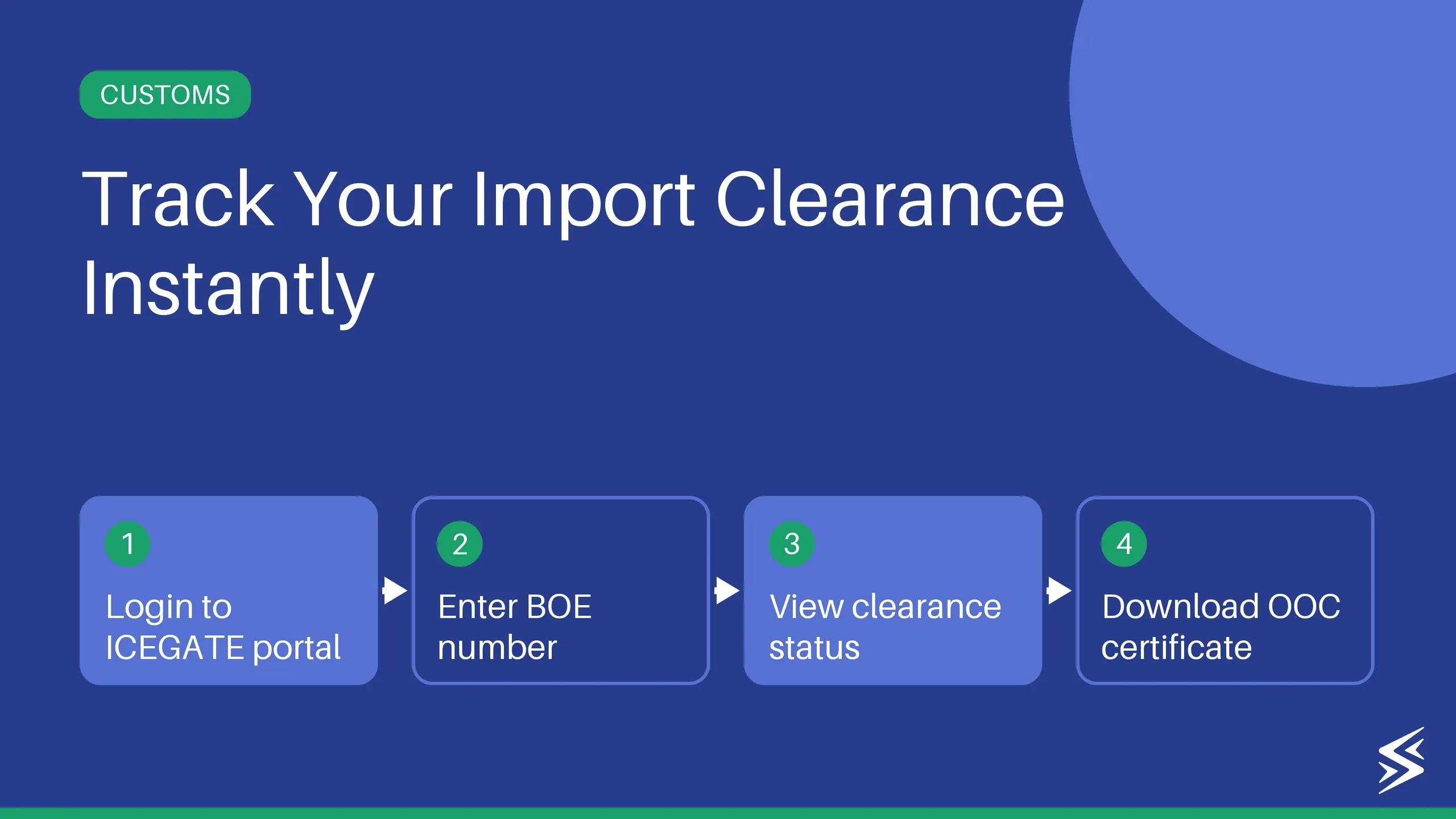
Skydo makes compliance easy with free and automated FIRA and assisted eBRC closure.
TL;DR
- What is a bill of entry? A mandatory legal document filed with Indian Customs before or on the day goods arrive in India. It declares what is being imported, its value, and how it should be classified for duty purposes.
- What are the three types? White for goods meant for immediate use or sale in India, with duty paid upfront. Yellow for goods going into a bonded warehouse, with duty deferred. Green for clearing goods out of a bonded warehouse, with duty paid at removal.
- How do you check BOE status? Visit icegate.gov.in, go to Services, click Public Enquiries 2.0, and select Status of BE in RBI-IDPMS. No login required for basic status checks.
- What does "Out of Charge" mean? Customs has completed verification and cleared your goods for delivery. It is the only status that means the goods are fully yours to move.
- What causes a BOE to get stuck? Mismatched documents are the leading cause. A wrong HS code, an assessable value that does not match the invoice, or a bill of lading number mismatch will trigger a query or re-assessment.
What is an ICEGATE bill of entry?
A bill of entry (BOE) is a legal document that an importer, or their customs house agent (CHA), files with Indian Customs when goods arrive in the country. It declares what's being brought in, what it's worth, and how it should be classified for duty purposes.
The document is processed by the Central Board of Indirect Taxes and Customs (CBIC) through the ICEGATE portal. Filing is electronic. Once submitted, you get a reference number to track.
The legal requirement stems from Section 46 of the Customs Act, 1962, which mandates that every importer file a bill of entry before or on the day the goods arrive. Missing that window isn't just a paperwork issue. Late filing attracts a penalty of ₹5,000 per day for the first 3 days and ₹10,000 per day thereafter.
Revenue Leak Calculator
- ✓ Fees quietly eating margin?
- ✓ Current provider vs Skydo
- ✓ Reclaim what's yours
Why check the bill of entry status?
Once your CHA files the bill of entry, customs processing begins and your cargo waits. Checking the status of your bill of entry tells you exactly where you stand so you can act before a delay compounds into a bigger problem.
Missing a customs query means your cargo stays put, and port charges accumulate while you wait on a response you did not know was pending. Clearance timing affects everything downstream: your warehouse slot, your transporter, your buyer's delivery date. None of that can be confirmed until customs is done.
CHAs track status across multiple consignments. Freight forwarders use it to pin down delivery timelines. For SEZ units, checking the SEZ bill of entry status is a separate step in their compliance process.
⚠️ WATCH OUT
For high-volume shipments, even a one-day delay can wipe out your margin on that consignment.
What are the different types of ICEGATE bills of entry?
The type of bill of entry you file depends on what you plan to do with the goods after they arrive. There are three types.
| Type | Colour | When to File | Duty Payment |
|---|---|---|---|
| Home Consumption | White | Goods for immediate use or sale in India | Paid upfront at filing |
| Warehousing | Yellow | Goods going into a customs-bonded warehouse | Deferred until removal |
| Ex-Bond | Green | Clearing goods out of the bonded warehouse | Paid at time of removal |
The type you file determines when duty is paid, so getting this right matters for cash flow and compliance.
How to check the bill of entry status?
You can easily track your bill of entry status on ICEGATE. Here is what you need to do:
Tracking Bill of Entry Status on ICEGATE 2.0 (Without Login)
- Visit icegate.gov.in and select “Enquiry” under “Services”
- Click on the “Public Enquiries 2.0” link.

- Select “Status of BE in RBI-IDPMS”

- Fill in the details to view the status of your ICEGATE Bill of Entry.

Tracking Bill of Entry Status on ICEGATE 2.0 (With Login)
- Log in to your ICEGATE account at icegate.gov.in
- On your dashboard, navigate to the import details or status section
- Check the current stage of your bill of entry, including any customs queries raised and duty payment status
- Download a detailed status report if you need a timestamped record of each processing stage
Optionally, you can set up email alerts to get notified when your status changes
Note: checking status and filing a bill of entry are two separate actions. If your goods haven't been filed yet, no status will appear. The next section covers what you need in place before filing.
ICEGATE bill of entry status codes: what they mean and what to do next
This is the part most status-check guides skip. Here's every status you're likely to see, in plain terms.
| Status | What It Means | What to Do |
|---|---|---|
| Filed | BOE submitted to customs, awaiting processing | Wait for the assessment to begin |
| Under Assessment | A customs officer is reviewing the filing | No action needed unless queried |
| Query Raised | Customs has flagged a document or declaration issue | Respond through your CHA immediately |
| First Check Order | Physical examination of the goods ordered | Coordinate with the port or CFS for the inspection slot |
| Second Check Order | Re-examination ordered after the first check | Follow up with CHA on the inspection outcome |
| Out of Charge | Customs cleared, goods ready for delivery | Arrange transport and take delivery |
| Duty Paid | Payment recorded, awaiting final clearance | Wait for Out of Charge status |
| Let Export Order | Applicable to exports, not imports | Confirm you are checking the right document |
| Recalled | BOE pulled back for re-assessment | Check with CHA for the reason and corrective action |
| Cancelled | BOE has been cancelled | File a fresh BOE if goods still need clearance |
Once your status shows "Out of Charge (OOC)," you can take delivery. That's the only status that means the goods are fully yours to move.
If you're an importer who also handles exports, the paperwork doesn't end at customs. Skydo simplifies receiving international payments, enables faster transfers, ensures full compliance, and eliminates chasing banks for documentation. Check out Skydo
What do you need before filing a bill of entry on ICEGATE?
Missing a document at the filing stage puts your BOE straight into "Query Raised" status, which means customs holds your cargo until you respond.
Registrations and credentials
You need a valid Import-Export Code (IEC) issued by the DGFT, and your ICEGATE account must be registered and active. If you're filing yourself rather than through a CHA, you'll also need a Class 3 Digital Signature Certificate (DSC) to authenticate the submission. If you're using a customs house agent, make sure they're formally authorized to file on your behalf.
💡 QUICK INSIGHT
Your IEC must be active on the DGFT portal. An expired or suspended IEC blocks BOE filing entirely, and reactivation takes time you do not have when cargo is already at port.
Documents to keep ready
Before your CHA begins filing, have these ready:
- Commercial invoice
- Packing list
- Bill of lading (BL) or airway bill (AWB)
- Insurance certificate
- Certificate of origin (if applicable for preferential duty rates)
How to file a bill of entry on ICEGATE: a step-by-step guide
How to File a Bill of Entry on ICEGATE
Log in to ICEGATE
Select "File Bill of Entry"
Enter shipment details
Upload documents
Submit and get your BOE number
Pay customs duty
Track your BOE status
Hover or tap any step to see details
Filing a bill of entry on ICEGATE follows a fixed sequence.
Step 1: Log in to ICEGATE
Go to icegate.gov.in and log in with your credentials. If you're filing through a CHA, they'll use their own login, which is linked to your IEC.
Step 2: Select "File Bill of Entry"
From the dashboard, navigate to the filing section and select Bill of Entry. Choose the correct type: home consumption, warehousing, or ex-bond, before entering any details.
Step 3: Enter shipment details
Fill in the consignment details: HS code, assessable value, country of origin, port of loading, and bill of lading or air waybill number. These fields are where most rejections happen. A wrong HS code triggers re-assessment. An assessable value that doesn't match your invoice raises a query. A BL number mismatch causes an outright filing error.
Step 4: Upload documents
Attach your commercial invoice, packing list, BL or AWB, insurance certificate, and certificate of origin where applicable.
Step 5: Submit and get your BOE number
Once submitted, the system generates a BOE number. This is your reference for everything that follows: duty payment, status tracking, and correspondence with customs.
Step 6: Pay customs duty
Duty payment can be done online through ICEGATE's e-payment gateway, or at designated bank branches if you prefer offline payment. Most CHAs handle this step directly and confirm payment once it reflects in the system.
Step 7: Track your bill of entry status
Use the BOE number to check status on ICEGATE. If no queries are raised and documents are in order, the typical processing time from filing to Out of Charge is 24 to 72 hours.
How to download your bill of entry copy from ICEGATE
Once your BOE status shows Out of Charge, you can download the assessed copy from ICEGATE 2.0.
Step 1: Log in at icegate.gov.in with your credentials.
Step 2: Go to "My Documents" from the dashboard.
Step 3: Locate the relevant BOE using the filing date or BOE number.
Step 4: Click "View/Download" next to the entry.
Step 5: Save the PDF to your records.
The downloaded copy is the officially assessed bill of entry, not a draft. It reflects the final duty amounts, HS codes, and assessable value as accepted by customs. Keep this on file, banks, auditors, and GST authorities may ask for it.
What is the difference between a bill of entry and a shipping bill?
If your business both imports and exports, you'll deal with both documents.
A bill of entry is filed by the importer when goods enter India. A shipping bill is filed by the exporter when the goods leave.
| Bill of Entry | Shipping Bill | |
|---|---|---|
| Direction | Import | Export |
| Filed by | Importer or CHA | Exporter or CHA |
| Customs section | Section 46, Customs Act 1962 | Section 50, Customs Act 1962 |
| Purpose | Clearing incoming goods through customs | Getting customs permission to export goods |
| Duty implication | Customs duty and IGST payable | Duty drawback claimable |
| Portal | ICEGATE | ICEGATE |
A manufacturer that imports raw materials and exports finished goods will file both regularly.
Common issues while filing a bill of entry and how to fix them
BOE stuck on "Under Assessment."
Usually, an HS code mismatch or an assessable value is what the officer wants to verify. Your CHA should contact the assessing officer directly and submit supporting documents, such as invoices, catalogs, or specifications, that support your declaration.
"Query Raised" status
Customs has a specific question about your filing. Log in to ICEGATE, open the query document, and respond with the requested information through the portal. Most queries close within 24 to 48 hours of a complete response. Partial responses just restart the wait.
Duty payment failure or mismatch
Cross-check your bank challan against the BOE reference number on ICEGATE. If there's a mismatch, your CHA can raise a payment reconciliation request. Don't re-initiate payment before confirming the first transaction actually failed.
Portal errors on old ICEGATE
Browser compatibility issues are common on the old portal. Switch to ICEGATE 2.0 as your primary option. If you need to look up the old ICEGATE bill of entry status for a past consignment, try the old portal in Firefox or Internet Explorer mode.
How Skydo helps Indian exporters get paid faster
Clearing customs on your imports is one side of the equation. If you are also exporting, the other side is getting paid on time by your international buyers.
Most exporters deal with slow bank transfers, unclear payment status, and a pile of documentation to manage after every transaction. FIRC, purpose codes, bank follow-ups. It adds up.
Skydo is an RBI-authorised platform built specifically for Indian exporters. You get virtual accounts to receive payments from buyers abroad, transfers settle faster than the traditional banking route, and your compliance documents are generated automatically. No chasing your bank for a FIRC every time a payment comes in.
If you are managing both import clearances and export receivables, Skydo takes the payment side off your plate so you can focus on the trade itself.

Get international bank accounts in 5 mins

Save as much as ₹10 lakh annually with Zero FX Margin

Real time payment tracking and instant FIRA
Get international bank accounts in 5 mins
Save as much as ₹10 lakh annually with Zero FX Margin
Real time payment tracking and instant FIRA
Frequently asked questions
Yes. Go to the old ICEGATE portal, click "Track Inquiry," and enter your BOE number and port code. No login needed.
About the author

Solution & banking
With a decade of experience at Citi Bank, Prashanth leads payments partnerships and solutions at Skydo.

Verified by
CA Akshay KumarLatest blog posts
View all posts
International Trade: Meaning, Types, and Importance
Engineering Export Promotion Council: Membership & RCMC Guide
Export Compliance: Rules, Checklist & Guide for Indian Exporters
Related blog posts
View all postsEngineering Export Promotion Council: Membership & RCMC Guide
Export Compliance: Rules, Checklist & Guide for Indian Exporters